Blog & Thoughts — Web design
Architecture First: Vibe Coding a Back Office with Claude Code
After a year of building client sites with Claude Code, the hard part still isn’t the code. Here is the architecture behind one concept build.
6 October 2026 · 6 min read · Xavier Boone
When people hear “AI” they picture someone typing 1 line into a chat bot and receiving a finished product. After a year of building client infrastructure with Claude Code, my experience is nearly the opposite. The agent writes code quickly. What decides whether the result is something a business can utilize is everything I decide before the first prompt.
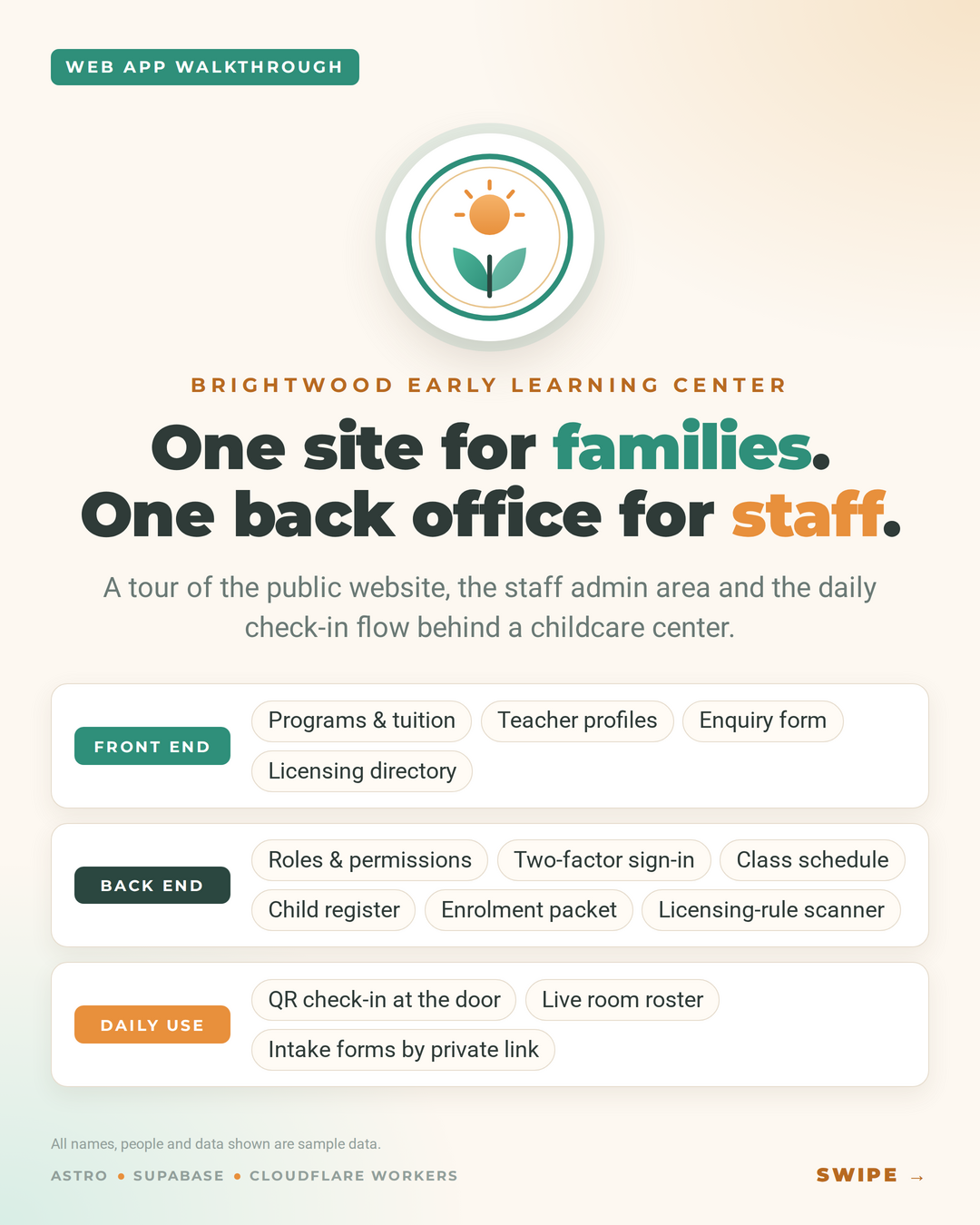
For example, I built a concept: Brightwood Early Learning Center, a fictional childcare center with a public website, a staff back office, and a daily check-in workflow. All data shown is sample data generated by Claude. The stack is Astro for the public site, Supabase for the data, and Cloudflare Workers at the edge. This post walks through the decisions behind it, written for the owner or manager who would have to live with the result.
Step 1 — Write the architecture before the first prompt
Before any code, I write down the workflow, the roadmap, and the software’s life cycle: who uses the system, what they do each day, and what has to be true at the end of each phase. The agent is far more precise when it builds in phases than when it’s asked for the entire system at once. A vague prompt gets plausible code, a crowded prompt gets muddled code, and a specific strict prompt gets the right code.
Step 2 — Connect the stack
Supabase, Astro, and the AI agent talk to each other through connectors, so the agent works against the real project instead of guessing at it.
Step 3 — Ask “may this person?”, not “is this person an admin?”
Every request in the back office is decided by three layers, checked in this order:
- Account status. A suspended account can do nothing, whatever roles it holds. When someone leaves, one switch closes every door, and their history stays.
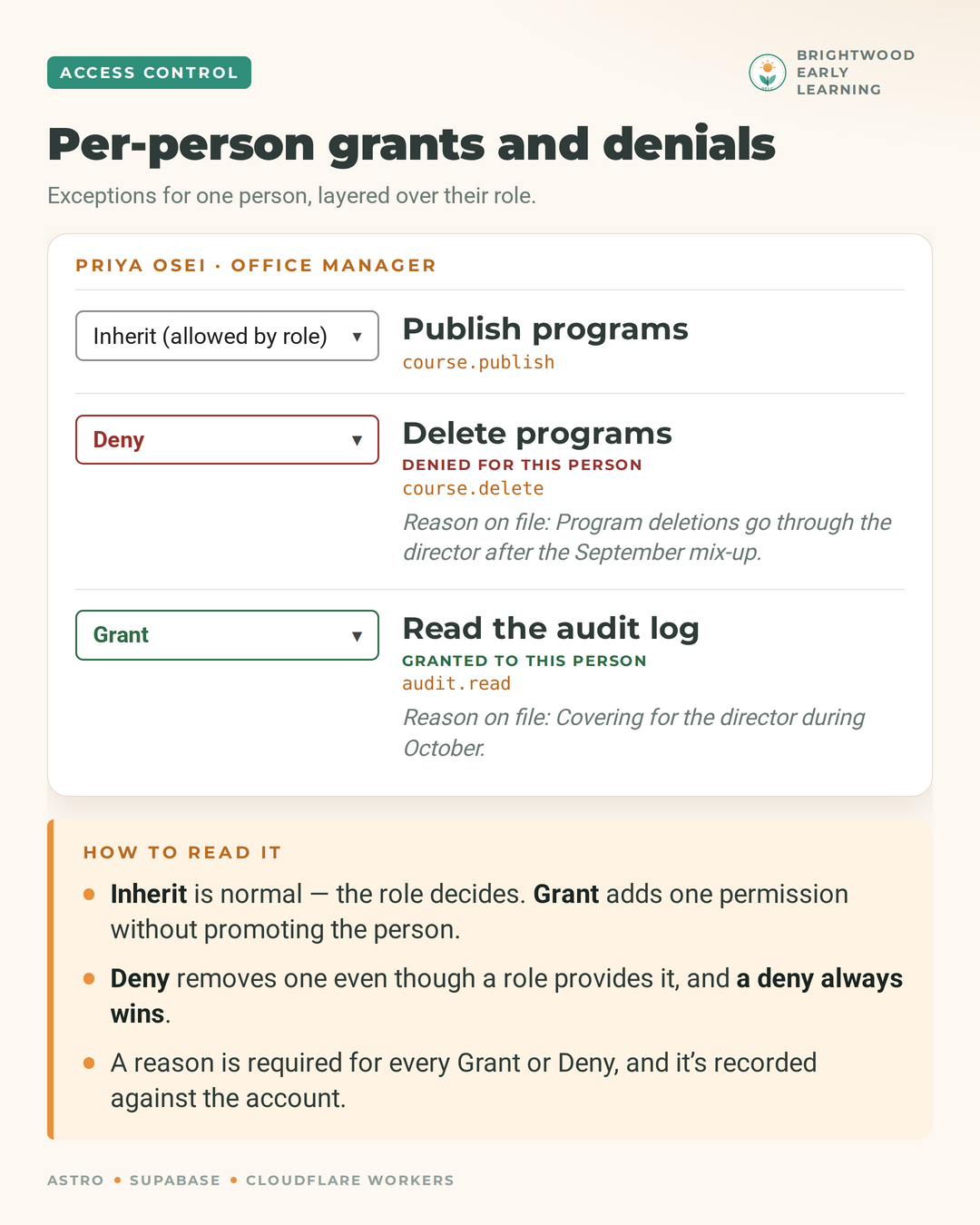
- Personal override. A grant or a deny on a per person basis. A default deny rule, for every role.
- Roles. Otherwise, access granted by the client to the appropriate data according to staff role.
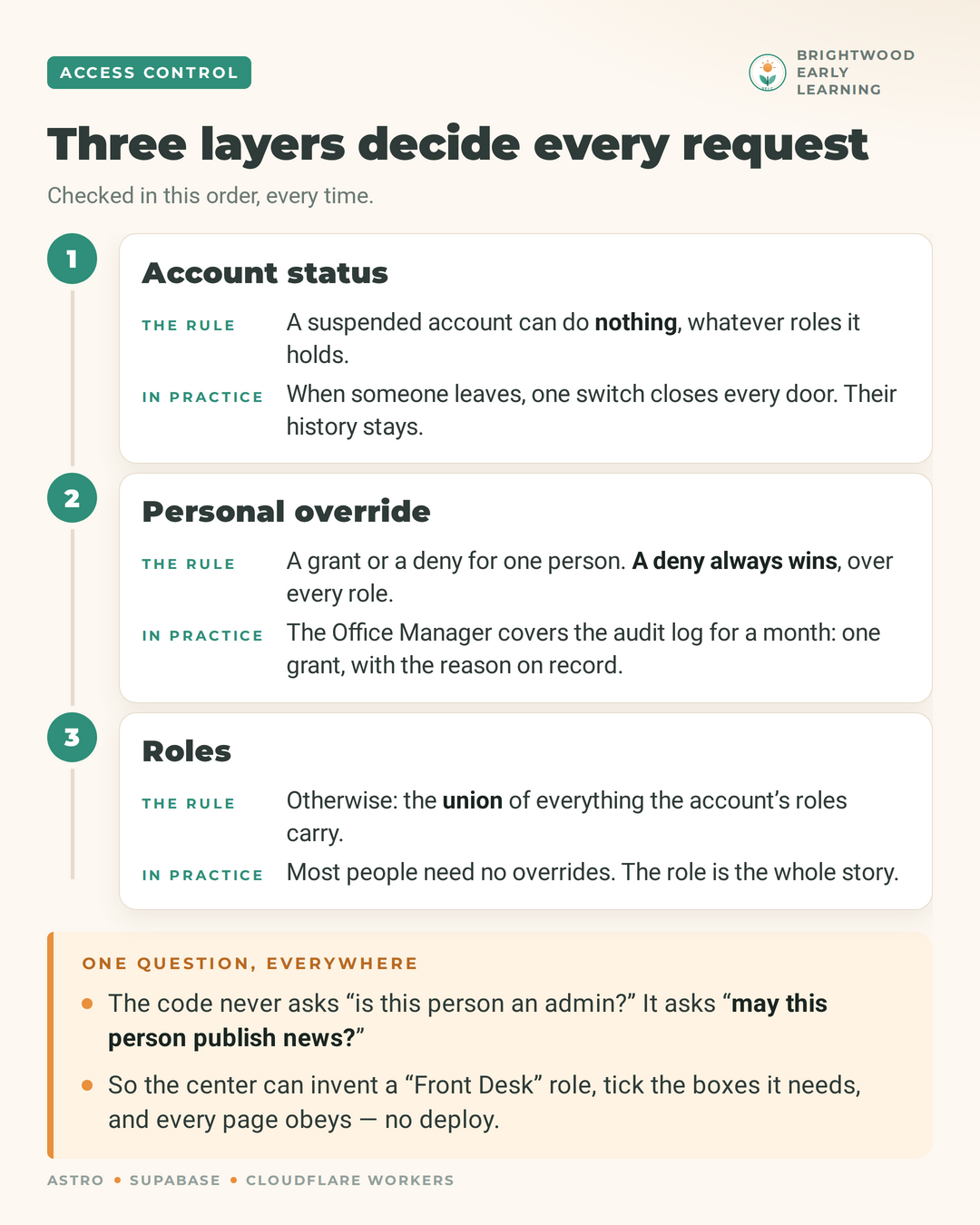
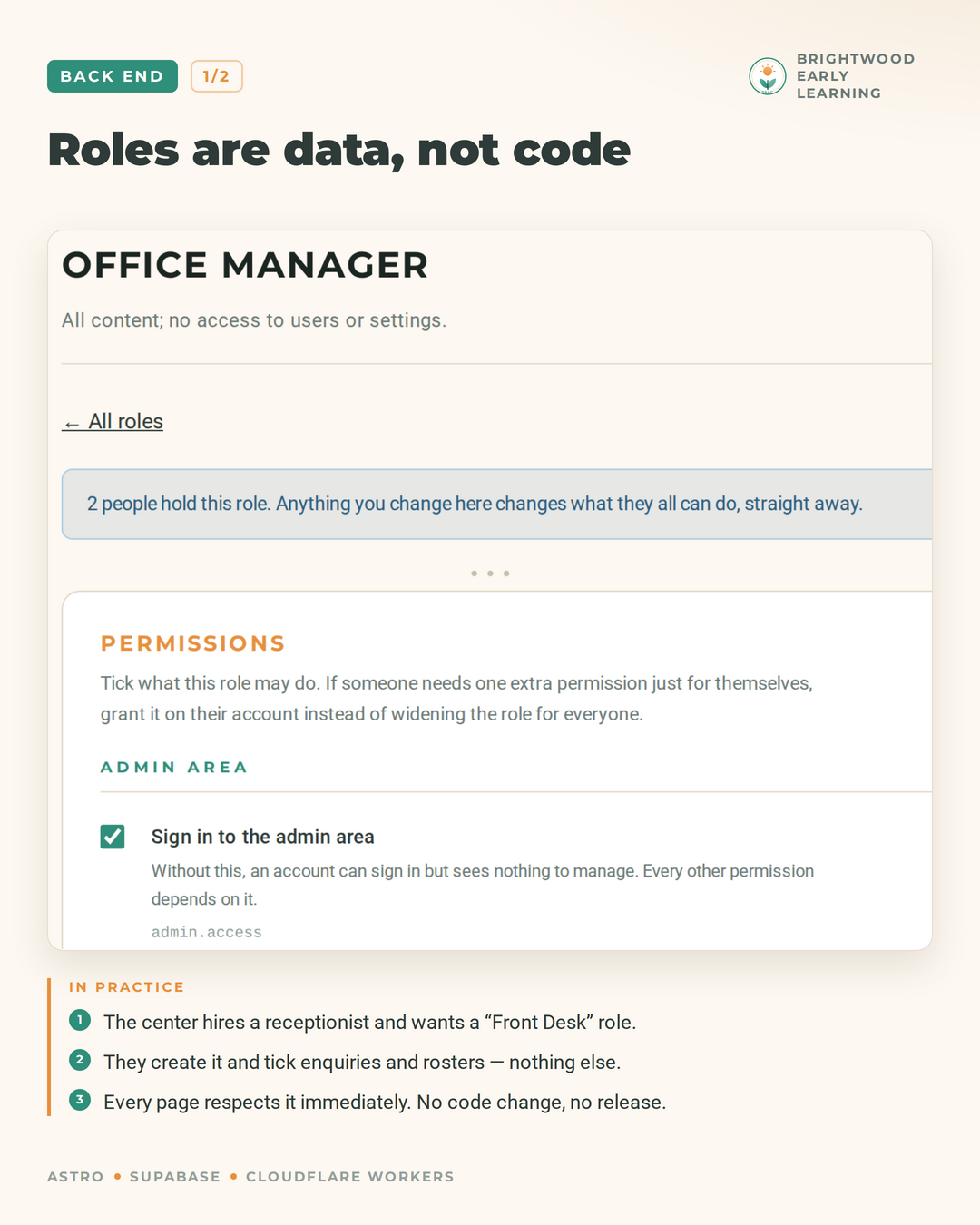
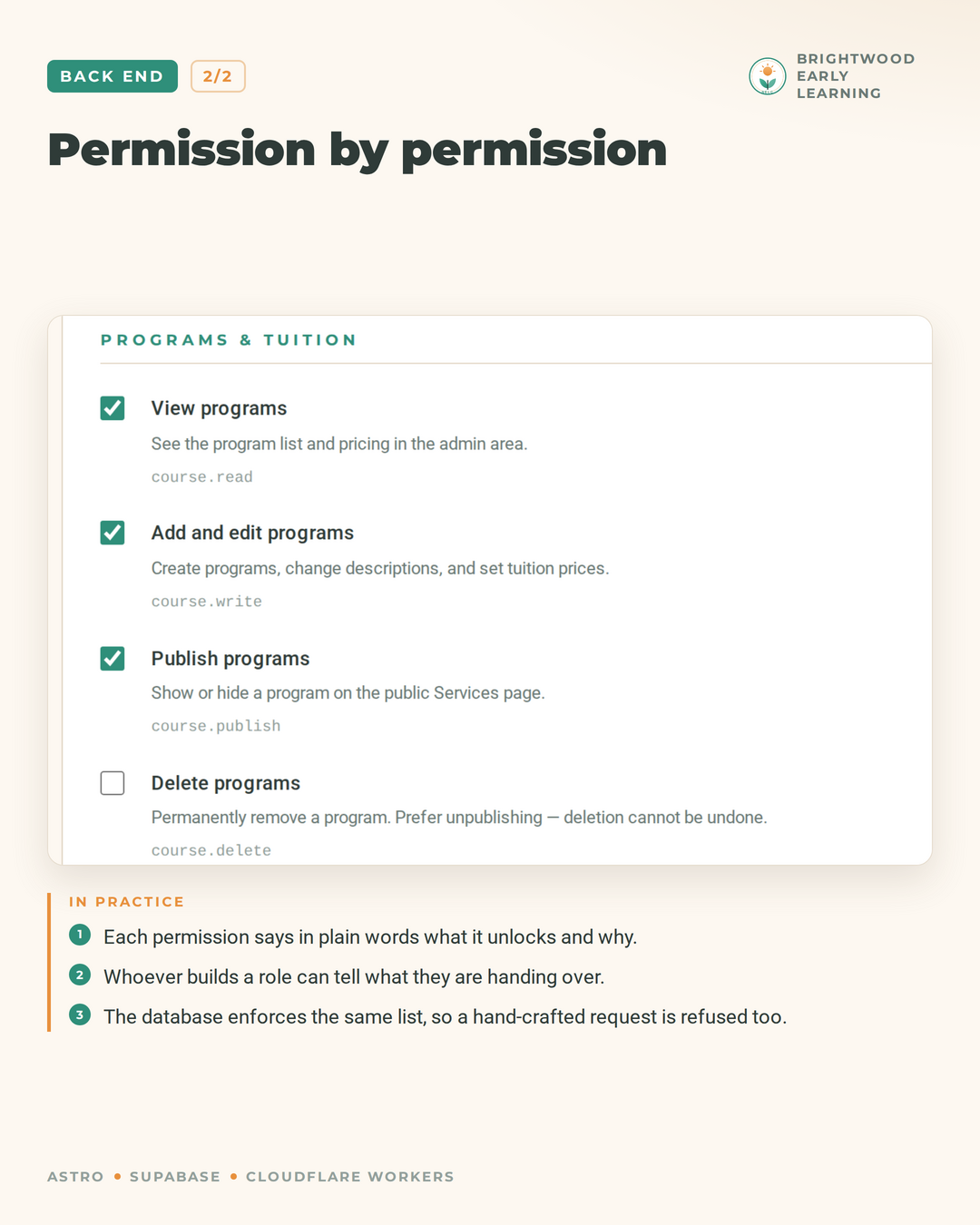
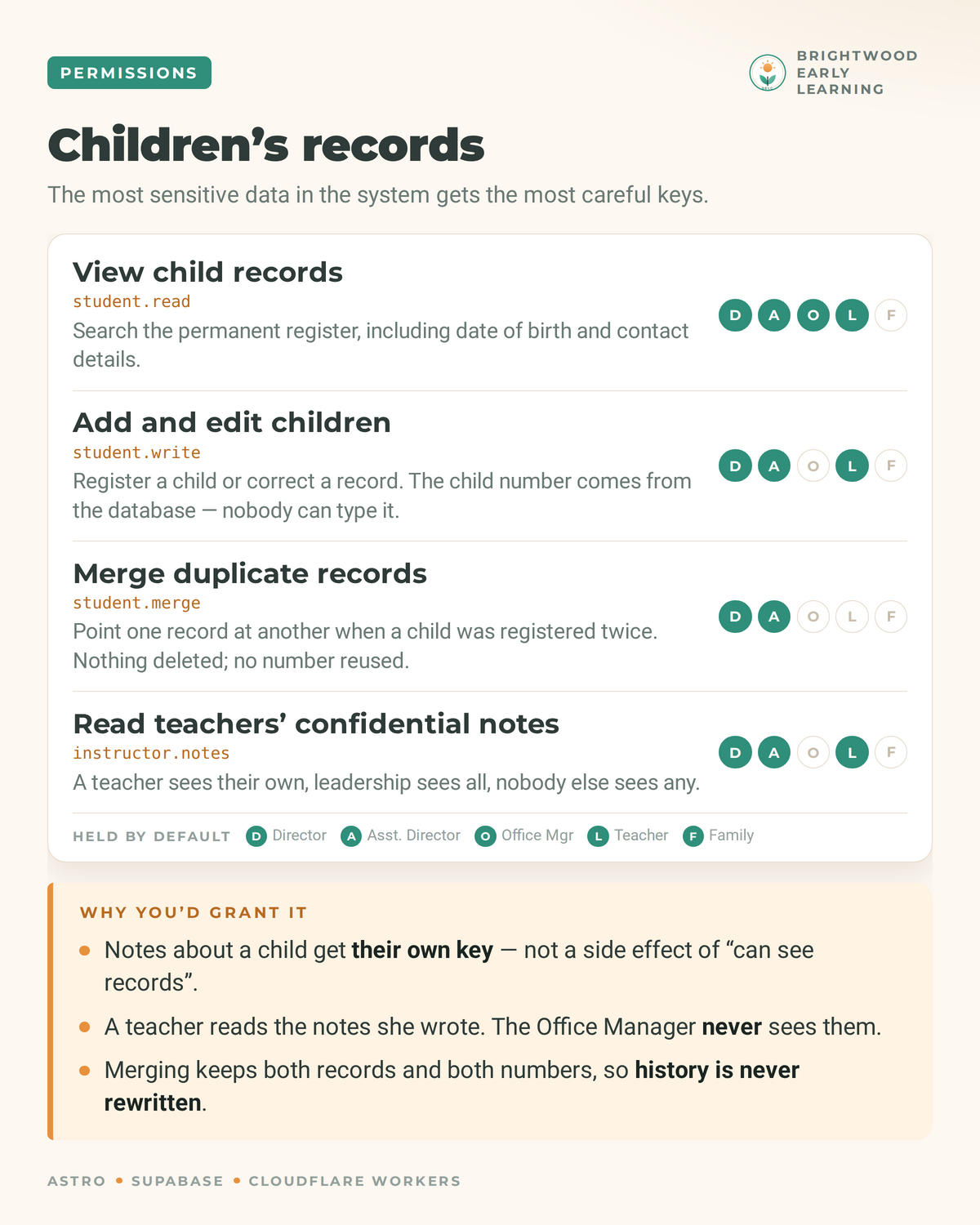
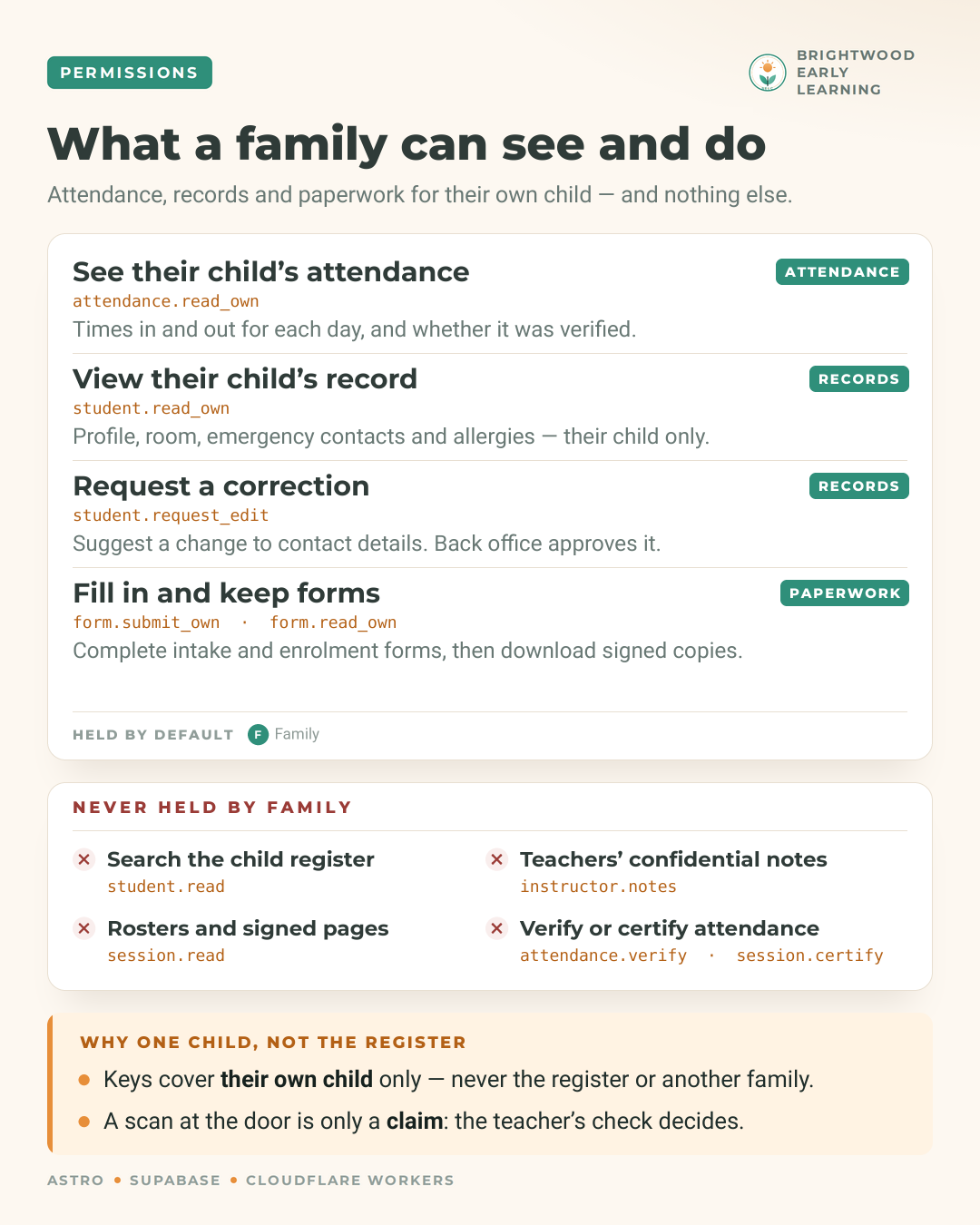
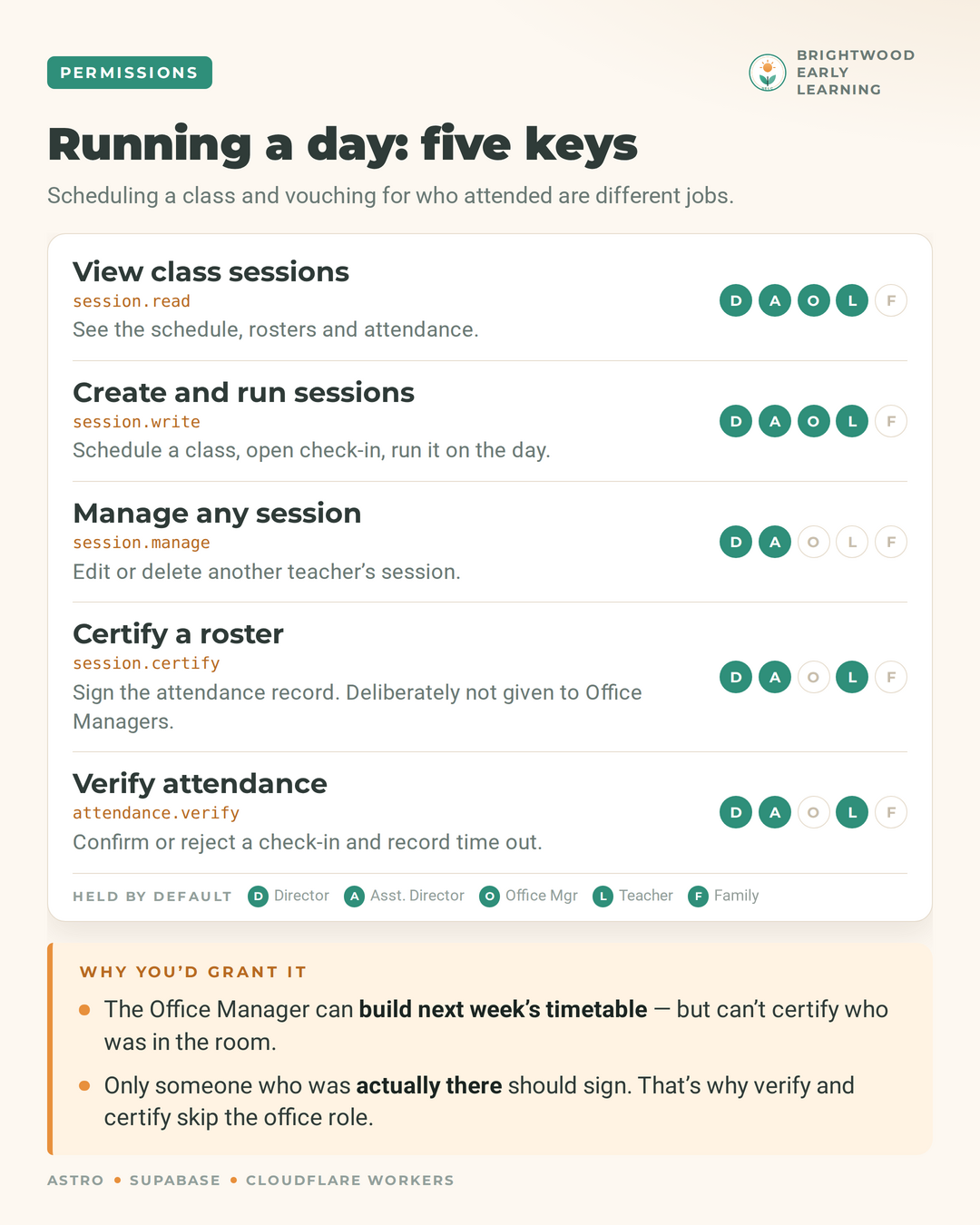
The software never asks “is this person an admin?” It asks “may this person publish news?” If the center hires a receptionist, they create a “Front Desk” role, tick enquiries and rosters, and every page obeys it immediately. No code change, no release.
Step 4 — Make the database say no too
Hiding a button isn’t security. The database also enforces the same permission list as the interface, hand-crafted requests are refused as well. All permissions and access features can be translated to less technical in terms and descriptions so whoever builds and/or edits a role can tell what they’re handing over.
Step 5 — Model how the work really happens
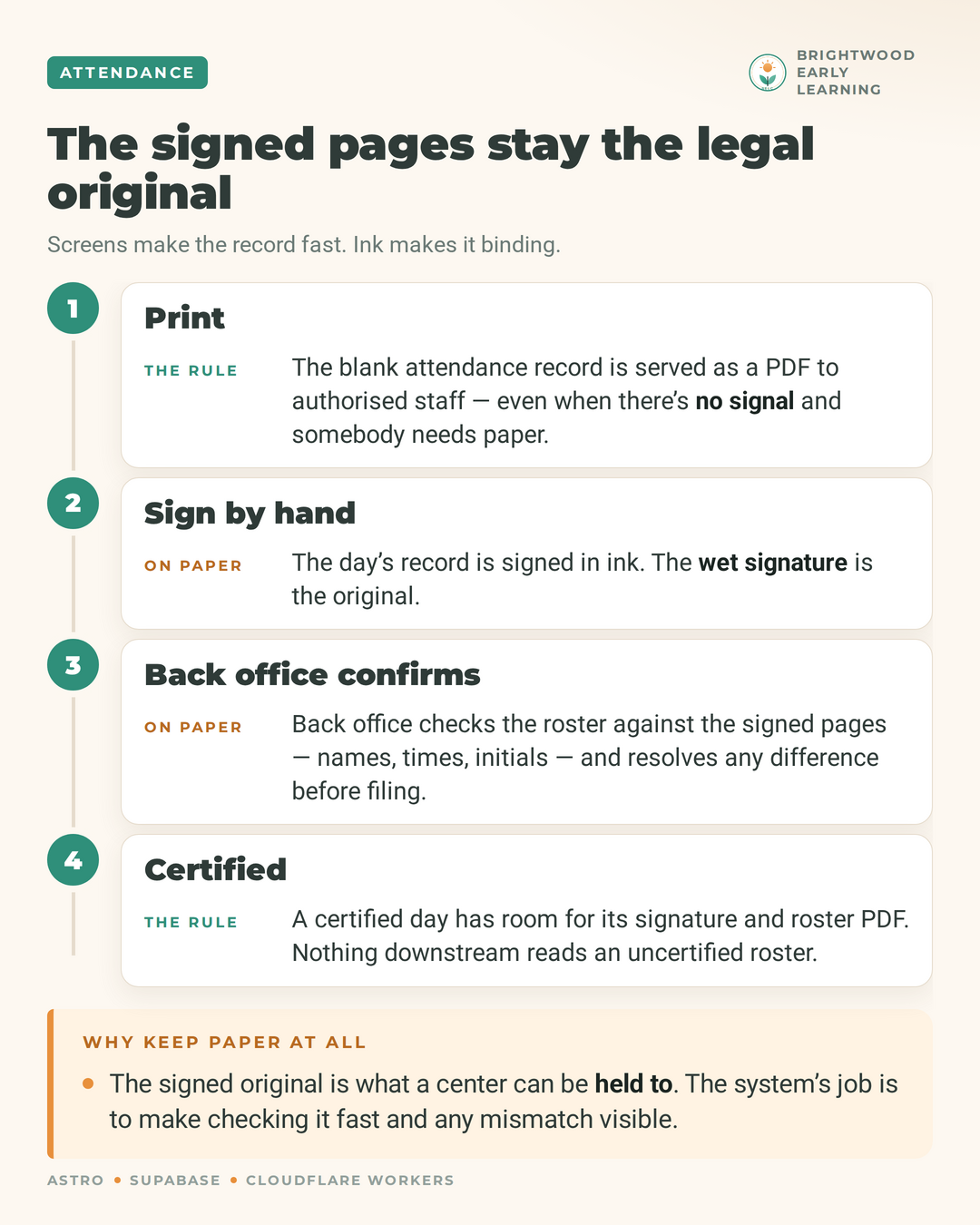
Attendance is where the paper makes it to the software. A QR scan at the door and/or a sign-in sheet at the front desk at drop-off. A teacher then verifies who is physically there. A signature certifies the day, and nothing downstream reads an unconfirmed roster. The signed paper pages stay the legal original, and the system’s job is to make checking them fast and mismatches visible.
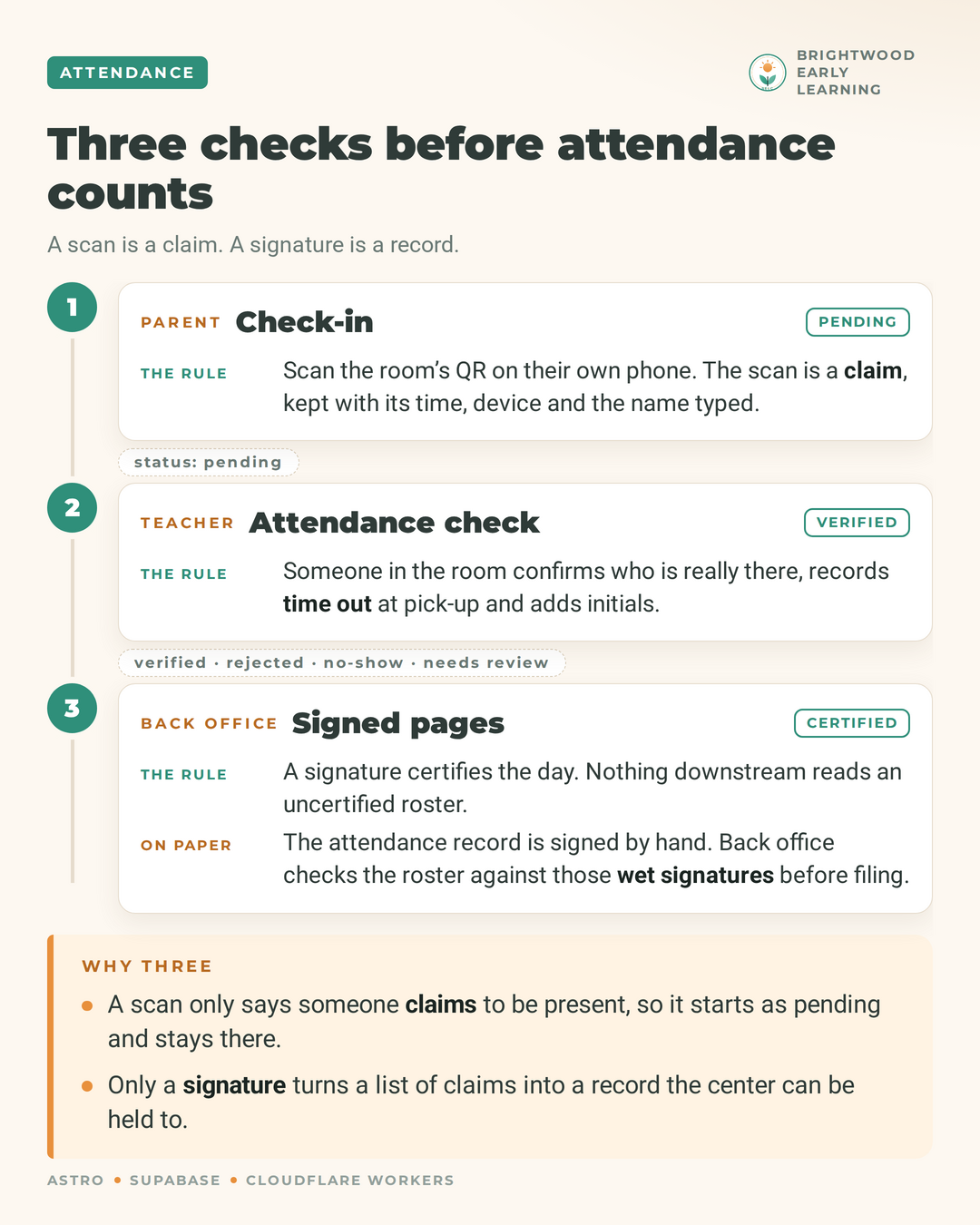
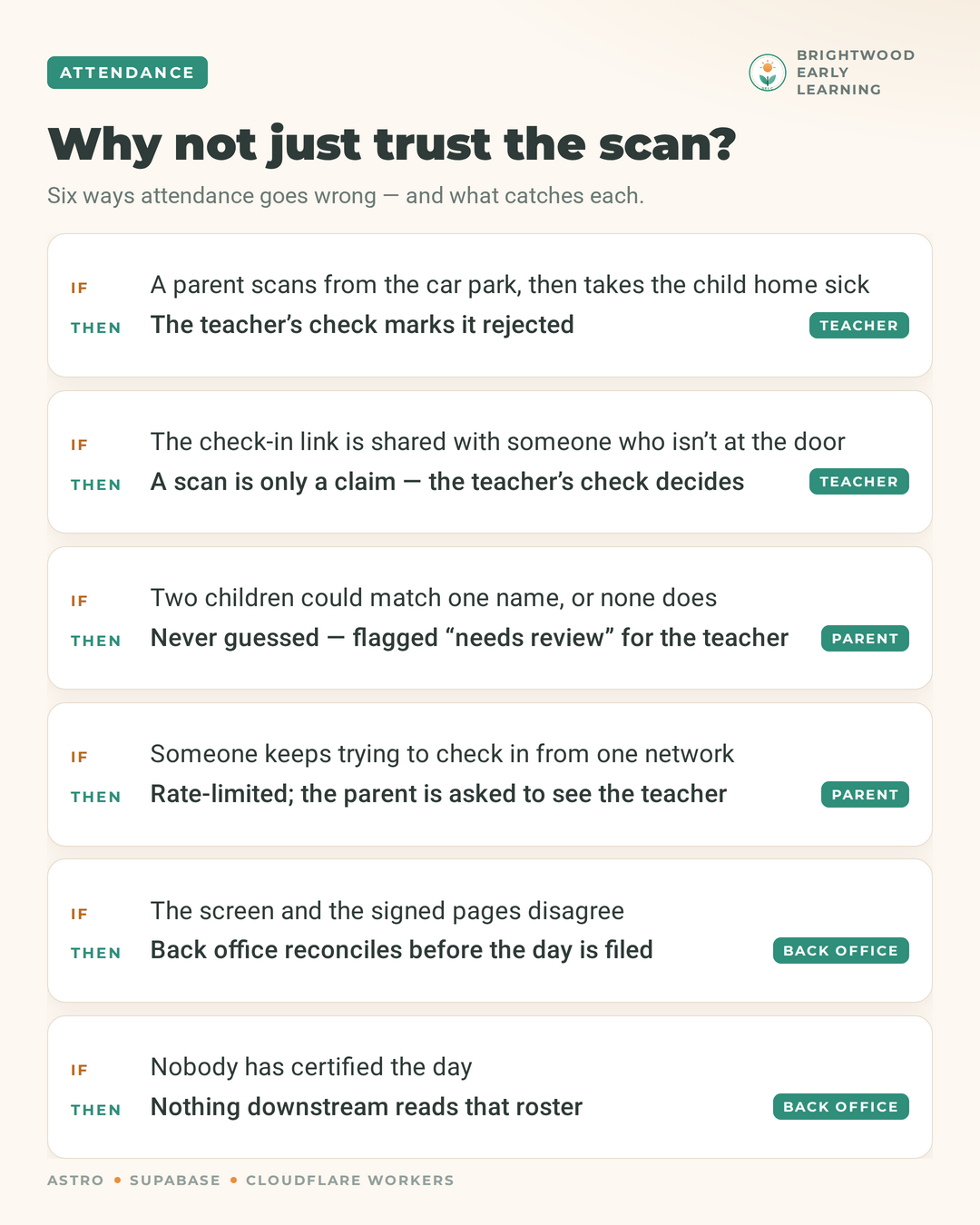
That design came from asking how attendance goes wrong:
- A parent scans from the parking lot, then takes the child home sick. The teacher’s check marks it rejected.
- The check-in link is shared with someone who isn’t at the door or a parent forgets to scan; a scan is only a claim, so the teacher’s check decides.
- The screen and the signed pages disagree. Back office reconciles before the day is filed.
Problems during the build
Claude Code got the attendance feature across the platform wrong, initially. I learned that I had to build all of these features out in phases. By day, month, year, and session and session length; the sessions being the class the attendance may be tracking. This allows for office managers to create sessions for regular classes and in the case of events. The fix wasn’t a better prompt, it was a better plan.
What the owner gets
A site with an attractive front end and contains only the features required to run the business on the back end. Staff get exact access needed; nothing more. And permission decisions are recorded with required reason and can be reviewed. The day-to-day changes happen in an admin area, not in a code editor.
Who in your business holds which keys, and could you change them today without calling a developer?
#claudecode #supabase #astro #vibecoding #smallbusiness
Discuss
Discuss on LinkedIn
All posts
Contact
Want a back office your team can run?
If you want a site your staff can manage without a developer, with access control and an audit trail built in, tell me what the business does and who needs which keys.